What Is Tor Browser? Complete Guide to Tor and Anonymous Browsing
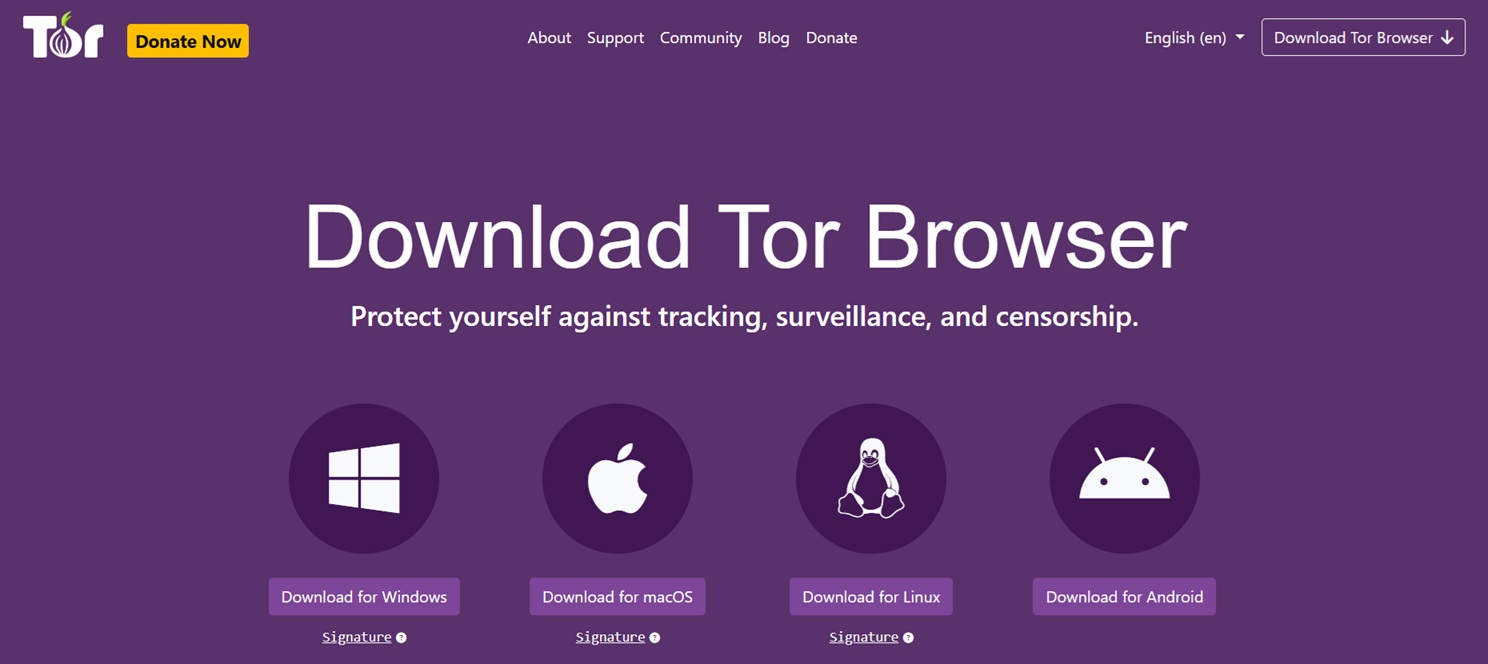
What Is Tor Browser?
Tor Browser is a free privacy-focused web browser designed to help users access the internet with increased protection against tracking and surveillance. Unlike traditional browsers that connect directly to websites, Tor Browser routes internet traffic through a worldwide network of volunteer-operated computers called Tor relays.
The goal of Tor Browser is to make it more difficult for websites, advertisers, network operators, and other observers to identify a user's location or track their browsing activity. It does this through a technology called onion routing, which encrypts and passes internet traffic through multiple layers before reaching its destination.
The Tor Browser is based on Mozilla Firefox and has been modified with additional privacy protections. It includes features designed to reduce browser fingerprinting, limit tracking technologies, and provide safer access to the Tor network without requiring advanced technical knowledge.
People often search for terms such as what is Tor Browser, what is a Tor Browser, or what is the Tor Browser because they want to understand whether this technology is simply another web browser or something fundamentally different.
The answer is that Tor Browser is both a browser and a gateway to a privacy-focused network. It allows users to browse normal websites while also providing access to special services known as onion services, which use the Tor network instead of traditional internet infrastructure.
Tor Browser is a legitimate privacy technology used by journalists, researchers, cybersecurity professionals, human rights organizations, and everyday internet users. Like any technology, it can be misused by individuals, but the existence of misuse does not define the purpose of the tool itself.
What Is Tor?
Tor stands for The Onion Router. It is an open-source privacy network created to improve anonymous communication and reduce online tracking.
The Tor network works by sending internet traffic through several independent computers called relays. Each relay only knows limited information about the connection, making it difficult for a single observer to determine both who is accessing information and what information they are accessing.
Unlike a normal internet connection, where your device communicates directly with a website through your internet service provider, Tor separates your identity from your destination through a distributed network.
For example, when using a standard browser:
- Your device connects to your internet provider.
- Your internet provider connects you to a website.
- The website can see information about your connection.
With Tor Browser:
- Your connection enters the Tor network.
- Your traffic passes through multiple Tor relays.
- The destination website sees the Tor exit relay instead of your original IP address.
This process does not make users completely invisible online, but it significantly changes how internet connections are identified and tracked.
Why Was Tor Created?
Tor was originally developed to support private communication and protect sensitive information. Privacy researchers, government organizations, journalists, and security professionals have used Tor for years because traditional internet connections reveal significant information about users.
Every time someone browses the internet, information such as IP addresses, approximate location, browsing patterns, and device details can potentially be collected by different parties.
Tor was designed around the idea that people should have the ability to communicate and access information without automatically exposing their identity.
Today, Tor is used for many legitimate purposes, including:
- Protecting journalists communicating with confidential sources.
- Allowing researchers to study online information without revealing their location.
- Helping users access information in countries with internet restrictions.
- Reducing unwanted tracking from advertisers and data brokers.
- Improving privacy on public or untrusted networks.
For readers interested in broader privacy protection methods, our guide covering privacy protection applications and tools explains how different technologies can work together to improve online security.
What Is Tor Browser and How Does Tor Work?
The main technology behind Tor Browser is called onion routing. The name comes from the way encryption layers are applied to internet traffic, similar to the layers of an onion.
Before information leaves the user's device, Tor encrypts the connection multiple times. The encrypted data is then sent through a sequence of Tor relays.
The Three Main Types of Tor Relays
1. Entry Relay
The entry relay, sometimes called the guard relay, is the first Tor server that receives a user's connection. It knows the user's IP address but does not know the final destination.
2. Middle Relay
Middle relays pass encrypted traffic between Tor servers. They help separate the beginning of the connection from the final destination.
3. Exit Relay
The exit relay is the final point before traffic reaches the normal internet. It connects the Tor network with the website or online service being accessed.
Because different relays handle different parts of the connection, no single relay has complete information about both the user's identity and destination.
What Makes Tor Browser Different From Normal Browsers?
Many people first discover Tor Browser while searching for privacy tools and wonder how it differs from browsers they already use, such as Chrome, Firefox, Edge, or Safari. The main difference is that traditional browsers connect directly to websites, while Tor Browser adds an additional privacy layer by routing traffic through the Tor network.
When you use a standard browser, websites can usually see your IP address, which may reveal information about your approximate location and internet provider. Websites can also use cookies, tracking scripts, and browser fingerprinting techniques to create profiles about users.
Tor Browser is designed to reduce these types of tracking methods. It automatically connects users to the Tor network, limits certain browser features that can expose identifying information, and attempts to make many users appear similar so that individual users are harder to distinguish.
| Feature | Traditional Browser | Tor Browser |
|---|---|---|
| Direct website connection | Usually yes | No, traffic goes through Tor relays |
| IP address visibility | Visible to websites | Hidden behind Tor exit relay |
| Built-in privacy protections | Depends on settings and extensions | Configured by default |
| Browser fingerprint protection | Limited | Designed to reduce fingerprinting |
| Access to onion services | No | Yes |
How Does Tor Protect Your Privacy?
Tor improves privacy by separating different parts of an internet connection. Instead of allowing one organization to see everything about a user's activity, Tor distributes information across multiple points in the network.
For example, an internet service provider may know that someone is connecting to the Tor network, but it does not know which websites that person visits. A website accessed through Tor may know someone is visiting, but it does not see the user's real IP address.
This separation creates an important privacy advantage. Tracking becomes more difficult because no single party has complete visibility into the entire connection.
However, Tor should be understood as a privacy tool rather than a magic anonymity system. User behavior still matters. Logging into personal accounts, sharing identifying information, or installing unsafe software can reduce privacy benefits.
What Is Onion Routing?
Onion routing is the foundation of the Tor network. It works by placing multiple encryption layers around internet traffic before sending it through different relays.
Each relay removes only one layer of encryption and receives only the information necessary to perform its part of the routing process. The relay does not know the complete path between the user and the final destination.
This design provides several privacy benefits:
- No single relay knows the complete connection path.
- Traffic is separated across multiple independent operators.
- The user's original IP address is hidden from websites.
- The network does not depend on a single central provider.
The decentralized design of Tor is one reason the network has remained valuable for privacy researchers and security professionals for many years.
Who Uses Tor Browser?
A common misconception is that Tor Browser is only used by people attempting to hide illegal activity. In reality, millions of people use Tor for legitimate privacy and security reasons.
Common Tor users include:
- Journalists protecting confidential sources.
- Security researchers analyzing online threats.
- Privacy advocates reducing online tracking.
- People living under internet censorship.
- Researchers studying online communities.
- Individuals who want more control over their digital privacy.
Organizations and privacy groups also use Tor because it provides an additional method of accessing information without exposing unnecessary personal details.
Understanding the difference between privacy technology and criminal misuse is important. The same way encryption protects both everyday communication and sensitive professional discussions, Tor is a neutral technology whose purpose depends on how individuals choose to use it.
Is Tor Browser Legal?
In most countries, using Tor Browser is legal. Tor is open-source software developed to provide privacy and anonymous communication capabilities.
Using a privacy tool does not automatically indicate illegal behavior. Many legitimate technologies can be used for both lawful and unlawful purposes.
Examples of legal Tor use include:
- Protecting personal privacy.
- Accessing information without excessive tracking.
- Conducting security research.
- Communicating securely with sensitive sources.
- Bypassing censorship where permitted by law.
Users should always understand and follow the laws that apply in their own location. Tor provides privacy protections, but it does not remove legal responsibilities.
Is Tor Browser Safe?
Tor Browser is considered one of the most privacy-focused browsers available, but safety depends on how it is used. The browser includes many protective features, but users can still expose themselves through unsafe decisions.
Tor Browser is generally safer when users:
- Download it only from official sources.
- Keep the browser updated.
- Avoid installing additional browser extensions.
- Do not open unknown files downloaded through Tor.
- Avoid sharing personal information.
- Use strong account security practices.
Like any browser, Tor can encounter security issues if vulnerabilities exist. This is why updates are important. The Tor Project regularly releases updates that improve security, privacy protections, and reliability.
For readers interested in protecting themselves across multiple platforms, our guide covering privacy tools and security-focused applications explains additional ways to strengthen online protection.
Does Tor Browser Make You Completely Anonymous?
One of the most common questions about Tor is whether it makes users completely anonymous online. The accurate answer is that Tor significantly improves privacy, but no technology can guarantee perfect anonymity in every situation.
Tor helps hide your IP address and makes tracking more difficult, but privacy also depends on user behavior and the websites being accessed.
Actions That Can Reduce Tor Privacy
- Logging into personal accounts connected to your identity.
- Revealing personal details during conversations.
- Downloading and opening unsafe documents.
- Changing advanced browser settings unnecessarily.
- Using the same usernames across anonymous and personal accounts.
The strongest privacy approach combines technology with careful digital habits. Tor works best when users understand both its strengths and its limitations.
Common Tor Browser Mistakes Beginners Make
Many new Tor users assume installing the browser alone provides complete protection. In reality, incorrect usage can reduce the privacy benefits that Tor provides.
Using Tor Like a Normal Browser
Tor Browser is designed differently from mainstream browsers. Installing many extensions, changing browser settings, or modifying privacy features can make a user's browser configuration more unique and easier to identify.
Logging Into Personal Accounts
If someone logs into a personal email, social media account, or other identifying service while using Tor, the website may associate activity with that account.
Downloading Unknown Files
Opening downloaded files outside the Tor Browser environment can create privacy risks because external applications may connect directly to the internet.
Assuming Everything on Tor Is Trustworthy
Tor protects connections, but it does not guarantee that websites, files, or users are trustworthy. Scams, phishing attempts, and malicious content exist on every part of the internet.
Users exploring unfamiliar online environments should learn how to identify suspicious websites and avoid unnecessary exposure.
Tor Browser and Privacy Beyond the Browser
Online privacy depends on more than a single application. Browser settings, passwords, device security, tracking protection, and communication habits all influence overall privacy.
For readers interested in understanding how different privacy technologies work together, our resources on privacy-focused search and tracking protection provide additional background.
Tor Browser vs VPN: Which Is Better for Privacy?
One of the most common questions from people learning about online privacy is whether Tor Browser or a VPN provides better protection. The answer depends on what type of privacy someone needs because these technologies solve different problems.
Tor Browser is designed to reduce the ability of websites and network observers to connect online activity with a user's real identity. It accomplishes this by routing traffic through multiple independent relays operated by volunteers around the world.
A VPN, on the other hand, creates an encrypted connection between a user's device and a VPN provider's server. The VPN hides the user's IP address from websites, but the VPN provider becomes a trusted intermediary handling the connection.
| Feature | Tor Browser | VPN |
|---|---|---|
| How it works | Routes traffic through multiple Tor relays | Routes traffic through one VPN provider server |
| IP address protection | Hidden through Tor exit relays | Hidden behind VPN server |
| Speed | Usually slower due to multiple relays | Usually faster |
| Central authority | Decentralized network | Depends on VPN provider |
| Access to onion services | Yes | No |
For some users, a VPN is more convenient because it provides faster connections for everyday browsing, streaming, and general online activity. For users who require stronger privacy protections, Tor Browser offers a different approach based on decentralization.
Some privacy-conscious users combine Tor with other security tools, but doing so requires understanding the potential advantages and limitations of each setup. More privacy tools do not automatically guarantee better protection if they are configured incorrectly.
Tor Browser and the Dark Web: Understanding the Connection
Tor Browser is frequently associated with the dark web, but the relationship between them is often misunderstood. Tor is a privacy technology, while the dark web refers to websites and services that require specialized software or networks to access.
The Tor network supports both ordinary internet browsing and special services called onion services. Onion services are websites or applications designed to operate within the Tor network rather than through traditional internet infrastructure.
The dark web represents only a small portion of what can be accessed through Tor. Most Tor users are not visiting hidden services; they use Tor Browser to improve privacy when accessing regular websites.
For readers who want to understand how different areas of the internet are organized, our guide explaining the differences between the surface web, deep web, and dark web provides a detailed overview.
It is also important to understand that anonymity networks require careful use. The same privacy features that protect legitimate users can also be misused by criminals, which is why security awareness remains essential.
How to Use Tor Browser Safely
Using Tor Browser safely does not require advanced technical skills. Most security recommendations focus on maintaining good privacy habits and avoiding behaviors that reveal personal information.
Download Tor Browser From Official Sources
Always download Tor Browser from the official Tor Project website or trusted sources. Fake versions of privacy software are sometimes created to collect passwords, monitor activity, or distribute malware.
Keep Tor Browser Updated
Updates are important because they include security improvements, bug fixes, and privacy enhancements. Running outdated software can expose users to known vulnerabilities.
Avoid Installing Additional Extensions
Browser extensions can change how a browser behaves and may create unique identifying characteristics. Tor Browser already includes privacy-focused configurations, so unnecessary modifications can reduce protection.
Use Strong Account Security
Tor protects the network connection, but it cannot protect accounts with weak passwords or reused credentials. Strong passwords, password managers, and multi-factor authentication remain important.
For a broader look at privacy practices, our operational security guide explains how individuals can reduce unnecessary digital exposure.
Understanding Tor Browser Limitations
Although Tor is one of the most recognized privacy technologies available, it is important to understand what it can and cannot do.
Tor Does Not Encrypt Everything
Tor encrypts traffic inside the Tor network, but protection depends on the connection beyond the exit relay. Websites using HTTPS provide additional encryption between the exit relay and the website.
Tor Does Not Protect Against All Tracking
Tor reduces many forms of tracking, but users can still identify themselves through actions such as logging into personal accounts or sharing private information.
Tor Does Not Guarantee Protection From Malware
A privacy browser cannot make unsafe files, websites, or downloads harmless. Users should maintain normal cybersecurity practices regardless of the browser they use.
Troubleshooting Common Tor Browser Problems
New users sometimes experience connection issues or slower browsing speeds when first using Tor Browser. These experiences are usually related to how the Tor network operates.
Why Is Tor Browser Slow?
Tor is generally slower than traditional browsers because traffic travels through multiple relays instead of a direct connection. This additional routing provides privacy benefits but introduces extra processing time.
Why Can I Not Connect to Tor?
Connection problems can occur because of network restrictions, censorship, firewall settings, or temporary relay issues.
Tor Browser includes connection assistance features such as bridges, which can help users connect in environments where normal Tor connections are restricted.
Why Are Some Websites Blocking Tor Users?
Some websites restrict Tor traffic because certain attackers have abused anonymous networks. However, blocking all Tor users can also affect legitimate privacy-focused visitors.
Frequently Asked Questions About Tor Browser
What is Tor Browser?
Tor Browser is a free privacy-focused browser that connects users to the Tor network. It helps reduce tracking by routing internet traffic through multiple volunteer-operated relays.
What is Tor used for?
Tor is used for privacy protection, anonymous communication, research, accessing information in restricted environments, and reducing online tracking.
Is Tor Browser free?
Yes. Tor Browser is free and open-source software developed to provide privacy-focused internet access.
Is Tor Browser illegal?
In most countries, using Tor Browser is legal. The browser itself is a privacy technology and is not illegal simply because some individuals misuse it.
Is Tor Browser safe?
Tor Browser is considered one of the strongest privacy-focused browsers available, but users should still follow security best practices and avoid unsafe online behavior.
Can Tor Browser hide my identity completely?
Tor Browser can significantly improve privacy, but no tool can guarantee perfect anonymity. User behavior, account activity, and security practices all influence privacy.
Related Tor and Privacy Resources
Understanding Tor is easier when combined with broader knowledge about online privacy, anonymous networks, and cybersecurity practices.
- Learn how privacy-focused search works with our guide to Tor search technology .
- Explore how anonymous directories and onion resources are discussed in our guide to hidden wiki resources .
- Understand how researchers approach darknet links and verification through our Tor Taxi and darknet link explanation .
- Explore additional privacy recommendations in our privacy tools guide .
Conclusion: Understanding What Tor Browser Really Is
Tor Browser is more than a tool associated with anonymous browsing or the dark web. It is a privacy-focused browser designed to give users greater control over how their internet activity is exposed.
By routing traffic through the Tor network, using onion routing, and reducing common tracking methods, Tor provides an important privacy option for people around the world. Journalists, researchers, privacy advocates, and everyday users rely on Tor because online privacy has become increasingly important in the modern digital environment.
However, understanding Tor also means understanding its limitations. Tor does not replace good cybersecurity habits, strong passwords, careful browsing decisions, or awareness of online threats.
The best results come from combining privacy technology with responsible digital practices. Whether someone is learning about Tor for cybersecurity research, personal privacy, or general education, understanding how the system works is the first step toward making informed choices online.
For more educational resources about privacy, cybersecurity, anonymous networks, and responsible internet research, visit Torzle .