Fake Dark Web Links: How to Avoid Costly Tor Scams (Checklist)
The Tor network remains one of the most effective tools for private research, secure communication, and censorship resistance. Journalists, security researchers, and privacy-focused users rely on it daily. That same anonymity, however, makes it easy for attackers to publish convincing fake onion addresses. A single wrong click can lead to credential theft, malware, or financial loss.
Because onion services use long, randomly generated addresses and there is no central authority that certifies them, users must verify destinations themselves. This updated August 2026 checklist explains how scammers operate, how to verify links with cryptographic methods, and how trusted search engines and directories—including Ahmia, Torch, Haystak, and Torzle—can reduce the chance of landing on a clone.

Why Fake Onion Links Are So Common
On the surface web, users can rely on familiar domain names, certificate authorities, and search-engine rankings. On Tor, every address is a long string of characters. People copy links from forums, old directories, or search results without carefully comparing them. Attackers exploit this by registering look-alike addresses (typosquatting) or cloning popular site designs.
The absence of a single authoritative index also drives users toward random link lists. Many of those lists are themselves maintained by scammers or have been abandoned and later repopulated with malicious mirrors. Understanding the layers of the internet helps: the dark web is simply the portion of the deep web that requires special software and deliberately hides location information. It is not inherently criminal, but it is largely self-policed.
How Darknet Phishing Works
Cloned login pages and typosquatting
Most phishing pages are near-perfect visual copies of legitimate onion services. The attacker hopes you will type your username, password, or two-factor code. Some pages then display a “maintenance” message; others quietly forward you to the real site after capturing credentials. Any cryptocurrency or account balances tied to that login can be emptied within minutes.
Malicious exit nodes and clearnet traffic
When you use Tor to reach ordinary .com or .org sites, traffic eventually leaves the network through an exit node. A malicious exit can observe unencrypted HTTP or attempt to tamper with connections. Onion services never use exit nodes in the same way—traffic stays inside Tor—so the risk profile is different. Prefer HTTPS on clearnet destinations and treat any unexpected certificate warning as a reason to stop.
Red Flags of Fake Services and Markets
Even experienced researchers can be fooled by a polished clone. Common warning signs include:
- The site demands a deposit or account funding before any content is visible.
- The onion address does not match a PGP-signed list published by the real operators.
- CAPTCHAs are broken, trivial, or always succeed.
- Prices or offers look unrealistically attractive.
- The only source for the link is an unverified directory or a direct message from a stranger.
Exit scams—where operators of a previously functional service suddenly disappear with escrow funds—also occur. Verification reduces the chance of both pure phishing clones and abrupt operator exits.
Why Random Directories Are Risky
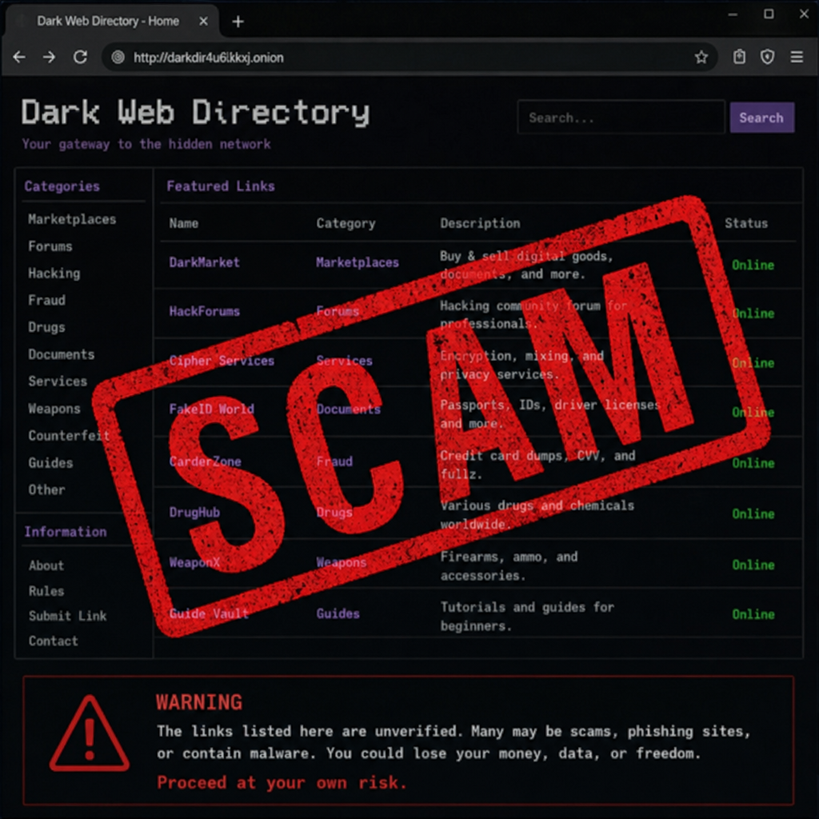
Classic directories such as versions of the Hidden Wiki have been cloned many times. There is no single official copy. Many clones push “prepaid cards,” “cheap electronics,” hitman services, or PayPal “cashout” offers—almost all of which are scams. Dynamic redirects or link shorteners that hide the full .onion address are additional red flags. For a closer look at the limitations of these lists, see our Hidden Wiki overview.
Safer discovery methods exist. Community-moderated forums still help, but search engines built specifically for onion services give a more structured starting point. Ahmia filters known abuse material and is available on both clearnet and onion. Torch and Haystak maintain larger indexes useful for research; both require extra caution because they apply little content filtering. Cross-checking an address across several of these sources, plus a trusted directory such as Tor Taxi or Torzle itself, is far safer than trusting any single list.
Verification Checklist: How to Confirm an Onion URL
Never skip these steps when the destination matters.
1. Learn basic PGP verification
Pretty Good Privacy (or compatible tools) is still the standard way operators prove that a list of mirrors is authentic. Obtain the service’s public key from a trusted independent source, import it, and verify the signed message that contains the official addresses. A “Good” signature matching the expected key is strong evidence; a bad or missing signature is a stop sign. Our PGP encryption basics guide walks through the practical steps.
2. Prefer PGP-signed mirror lists from the service itself
Once you are on a verified address, many legitimate platforms let you generate a personalized, signed list of current mirrors. Save that list offline. Searching the open web for “working mirrors” almost guarantees phishing results.
3. Cross-check with multiple independent sources
Before creating an account or entering credentials, compare the address against results from Ahmia, Torch, Haystak, and a maintained directory such as Torzle or Tor Taxi. Consistency across sources that do not share the same operator is a useful signal.
4. Check status without clearnet proxies
Do not use public “Tor2Web” style proxies to test whether a site is up; those services can see your traffic. Prefer status reports on trusted community forums or simply wait—onion services frequently experience temporary downtime.
5. Treat bookmark updates with suspicion
Bookmarking a verified link is useful, but always re-check the address bar. If a site suddenly asks you to switch to a “new official mirror,” verify that address with PGP before updating anything.
Hardening Tor Browser and Communication Habits
Security levels
Open the shield icon in Tor Browser and move from the default “Standard” level to “Safer” or, for higher-risk sessions, “Safest.” The Safest setting disables JavaScript on all sites, which blocks many browser-based exploits at the cost of some site functionality. Keep the window at its default size and never install extra extensions; both practices reduce fingerprinting. A full setup walkthrough appears in our complete guide to anonymous dark web browsing.
Client-side encryption
Assume any web-based messaging system could be monitored or later seized. Encrypt sensitive content with the recipient’s public key on your own machine before pasting it into a site. Even if the page is a sophisticated clone, the attacker receives only ciphertext.
Social engineering
Technical verification is not enough. Scammers pose as helpful users in forums and private messages, offering “working mirrors” the moment a service goes offline. Treat unsolicited links with the same skepticism you apply to email attachments.
If You Suspect You Have Been Compromised
- Stop using the affected account. Consider the credentials burned.
- If the same password was reused elsewhere (it should not have been), change those accounts from a clean session and move any funds to a local wallet you control.
- Request a new Tor identity, clear the session, and generate fresh passwords and PGP keys for future work.
- Report the malicious address on community channels so others can avoid it.
Frequently Asked Questions
How can I tell if an onion link is fake?
Compare the full address against a PGP-signed list from the real operators and cross-check it in multiple independent sources such as Ahmia, Torch, Haystak, and a maintained directory like Torzle or Tor Taxi. Visual similarity of the page design is not proof of authenticity.
Is the Hidden Wiki safe to use?
No single official Hidden Wiki exists. Most public copies have been cloned or left unmaintained and frequently contain phishing links. Treat any version as untrusted and prefer search engines or verified directories instead. See our Hidden Wiki overview for details.
Do I need PGP to stay safe on Tor?
PGP is the most reliable way to confirm that a list of onion addresses was published by the claimed operator. Without it you are relying on secondary sources that can themselves be compromised. Learning basic signature verification is one of the highest-value skills for dark-web research.
Are dark-web search engines like Torch and Haystak safe?
The engines themselves are useful discovery tools, but they index a wide range of content with little filtering. Results can include phishing clones and malicious sites. Always verify any address you intend to visit and keep Tor Browser on the Safer or Safest security level while using them.
What should I do if I already entered my password on a fake site?
Treat the credentials as compromised. Do not reuse the password anywhere. From a clean Tor session, secure any other accounts that shared the same password, move funds out of affected wallets if possible, generate new passwords and PGP keys, and report the phishing address to community channels.
Conclusion
Fake dark web links succeed because onion addresses are hard to remember and because many users still rely on untrusted directories. The practical defense is routine verification: PGP-signed mirror lists, cross-checks against engines such as Ahmia, Torch, and Haystak, and careful use of maintained directories including Torzle and Tor Taxi. Combine those habits with Tor Browser’s higher security levels and client-side encryption, and most common phishing attempts become obvious before damage occurs.
For related reading, see our guides to Torch, Haystak, Tor Taxi, and the broader set of privacy tools that support safer research. Stay skeptical, verify before you trust, and treat every new onion address as unconfirmed until cryptographic or multi-source evidence says otherwise.