DuckDuckGo Privacy Browser Review (2026): Features, Safety & Privacy Explained
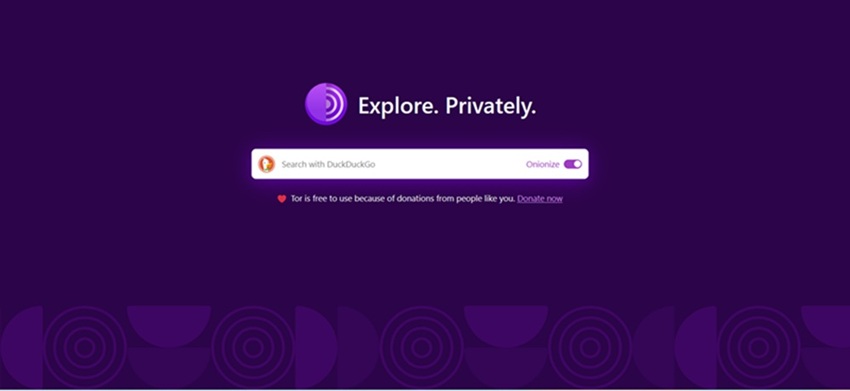
DuckDuckGo Privacy Browser has become one of the most popular alternatives for people who want a simpler, more private browsing experience without spending hours tweaking security settings. To see whether its privacy claims hold up in everyday use, I used DuckDuckGo as my primary browser on both desktop and mobile for several weeks—searching the web, reading news, shopping online, watching YouTube, and managing email.
The difference was noticeable almost immediately. Many websites loaded with fewer trackers, personalized ads followed me far less often, and DuckDuckGo's built-in privacy tools quietly worked in the background without requiring constant configuration.
This review covers everything you need to know about the DuckDuckGo Privacy Browser in 2026, including tracker blocking, the Fire Button, Email Protection, Smarter Encryption, Duck Player, Global Privacy Control, performance, security, and how it compares with Chrome, Brave, and Firefox. Whether you're looking for a privacy-first daily browser or simply want to reduce online tracking, this guide explains where DuckDuckGo excels, where it falls short, and whether it's the right choice for you.
What Is DuckDuckGo Privacy Browser?
The DuckDuckGo Privacy Browser is a free, privacy-focused web browser designed to reduce online tracking without requiring complicated settings. Unlike traditional browsers that often rely on extensive data collection, DuckDuckGo blocks many third-party trackers by default and includes built-in privacy tools such as Tracker Blocking, Smarter Encryption, the Fire Button, Email Protection, Duck Player, and Global Privacy Control (GPC).
DuckDuckGo started in 2008 as a privacy-focused search engine built around the idea that users should be able to search the web without creating detailed personal profiles. Instead of storing search histories tied to individual users, DuckDuckGo focuses on providing results without using personal tracking data for advertising purposes.
Over time, DuckDuckGo expanded beyond search by creating a complete privacy ecosystem that includes browser applications, browser extensions, and email protection tools. These products allow users to apply DuckDuckGo's privacy approach across different parts of their online activity.
The DuckDuckGo ecosystem includes:
- Private Search Engine: Search the web without personalized search profiles or search histories connected to your identity.
- DuckDuckGo Privacy Browser: Available for Windows, macOS, Android, and iPhone/iPad. The browser includes built-in tracker blocking, privacy controls, and tools designed to reduce online profiling. There is currently no native Linux version.
- DuckDuckGo Privacy Essentials Extension: A browser extension available for browsers such as Chrome, Firefox, Edge, and Safari. It adds tracker blocking, Smarter Encryption, and privacy protections without requiring users to switch browsers completely.
- DuckDuckGo Email Protection: A free email privacy service that provides a @duck.com email address. It removes hidden email trackers before forwarding messages to your regular inbox and allows users to create private email aliases for online registrations.
An important distinction is that DuckDuckGo is both a search engine and a browser. You can use the DuckDuckGo search engine inside almost any browser, including Chrome, Firefox, Safari, or Edge. However, using the DuckDuckGo Privacy Browser provides additional protections that work across the websites you visit, not just during searches.
For users who do not want to replace their existing browser, the DuckDuckGo browser extension provides a middle ground. It adds many privacy features while allowing you to continue using your preferred browser and existing extensions.
DuckDuckGo remains an independent, privately held company founded by Gabriel Weinberg. It is not owned by Google, Microsoft, or another major technology company. The company generates revenue primarily through privacy-focused search advertising, affiliate partnerships, and its optional Privacy Pro subscription, which includes additional services such as VPN access, data broker removal, and identity theft restoration.
If you are interested in broader online privacy topics, understanding the difference between the surface web, deep web, and dark web can provide useful context. See our guide on the differences between parts of the internet to learn how these layers work and where privacy tools like DuckDuckGo fit into the wider online ecosystem.
DuckDuckGo Privacy Browser Features
The DuckDuckGo Privacy Browser combines private search, tracker protection, and built-in privacy tools into a single browsing experience. Unlike traditional browsers that require multiple extensions and manual configuration, DuckDuckGo provides many privacy features by default across desktop and mobile devices.
Here are the main DuckDuckGo browser features that stand out in 2026:
Tracker Blocking
DuckDuckGo automatically blocks many third-party trackers before they load, helping prevent companies from building detailed profiles based on your browsing activity. The browser blocks tracking scripts from advertising networks, social platforms, and data brokers while also providing additional protections such as link tracking protection, CNAME cloaking protection, and support for Global Privacy Control signals.
This means websites can still function normally while reducing the amount of personal data shared with hidden tracking networks.
Smarter Encryption
Smarter Encryption automatically upgrades website connections from HTTP to HTTPS whenever a secure version is available. HTTPS encrypts the connection between your browser and the website, helping protect your activity from network observers such as public Wi-Fi operators or internet service providers.
This feature works quietly in the background and helps ensure you are using encrypted connections whenever possible.
Fire Button
The Fire Button allows users to instantly clear browsing data with a single click or tap. It can close open tabs and remove browsing history, cookies, and stored site data.
For websites where you want to remain signed in, DuckDuckGo allows you to Fireproof selected sites. This keeps trusted sessions active while allowing you to quickly remove other browsing activity.
Duck Player
Duck Player is DuckDuckGo's privacy-focused way to watch YouTube videos. It opens videos inside a dedicated player designed to reduce tracking and limit personalized recommendations based on your viewing habits.
Instead of allowing YouTube to build a detailed viewing profile, Duck Player provides a more private viewing experience while still allowing access to YouTube content.
Email Protection
DuckDuckGo Email Protection helps reduce email tracking by providing users with a free @duck.com email address. Messages sent to this address are forwarded to your existing inbox after DuckDuckGo removes hidden tracking elements such as tracking pixels.
Users can also create private email aliases for online registrations, newsletters, and services. These aliases help protect your real email address from unnecessary exposure.
Global Privacy Control (GPC)
DuckDuckGo supports Global Privacy Control, a privacy standard that sends an automated signal to websites requesting that they respect your privacy choices, such as opting out of the sale or sharing of personal information where applicable.
Instead of manually changing privacy settings on every website, GPC allows your browser to communicate your privacy preference automatically.
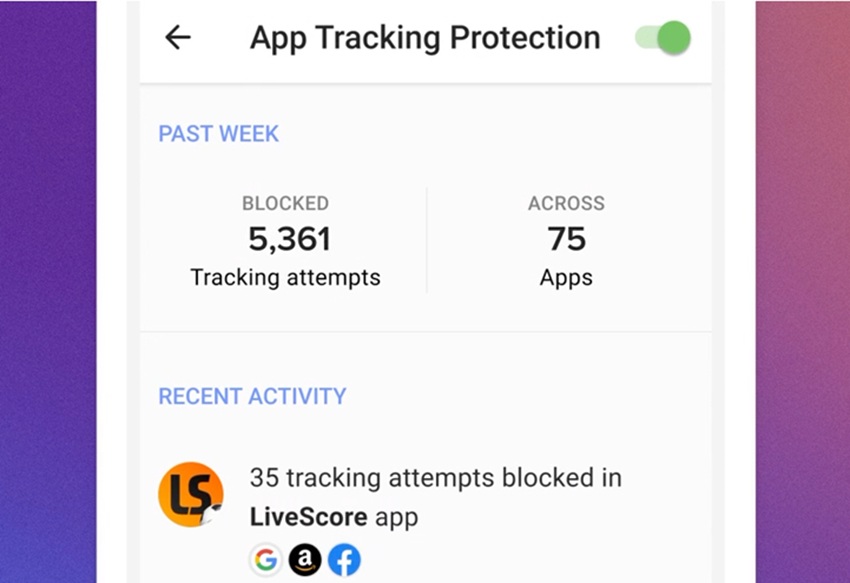
App Tracking Protection (Android)
The Android version of DuckDuckGo includes App Tracking Protection, which extends privacy protection beyond the browser. It blocks many third-party trackers hidden inside other apps, including shopping, social media, gaming, and utility applications.
This makes DuckDuckGo more than just a private browser—it becomes a broader privacy tool for protecting mobile activity.
Private Search
The DuckDuckGo search engine is built directly into the browser and is designed to provide private searching without creating personal search profiles. Your searches are not used to build a long-term advertising profile linked to your identity.
DuckDuckGo combines results from multiple sources, including its own technology and external search providers, while maintaining its privacy-focused approach to search.
Password Management and Autofill
DuckDuckGo includes built-in password management features that allow users to save passwords, autofill login information, and import passwords from other browsers. This provides a simpler way to manage credentials without relying on additional browser extensions.
Duck.ai Private AI Chat
DuckDuckGo also offers Duck.ai, an optional private AI chat feature. It allows users to interact with AI models while focusing on privacy by separating conversations from personal identity and preventing chats from being used to train AI models.
Encrypted Sync
DuckDuckGo provides encrypted synchronization for bookmarks and browser settings between devices. Instead of requiring a traditional account with personal information, users can pair devices using a secure QR code process.
Privacy Without Extra Configuration
One of the biggest advantages of the DuckDuckGo Privacy Browser is simplicity. Most privacy protections work immediately after installation, without requiring users to install multiple extensions or manually adjust advanced settings.
For users who want a cleaner browsing experience with fewer trackers, less personalized advertising, and stronger privacy controls by default, DuckDuckGo offers an accessible alternative to mainstream browsers.
Does DuckDuckGo Really Stop Tracking Your Searches?
One of the biggest reasons people switch to DuckDuckGo is the promise of private searching. Unlike traditional search engines that build detailed user profiles from search history, DuckDuckGo is designed around a different approach: providing search results without creating a personal profile based on your queries.
After using DuckDuckGo alongside Google for similar searches, the difference becomes noticeable. Google may use previous searches, account activity, location signals, and browsing behavior to personalize future results and advertisements. DuckDuckGo treats searches independently, meaning a new query is not connected to a long-term advertising profile about you.
Search Privacy: How DuckDuckGo Handles Your Queries
DuckDuckGo states that it does not store personal search histories linked to individual users. It does not create a search profile containing your interests, medical questions, shopping habits, or other sensitive topics in order to personalize advertising.
DuckDuckGo can still display advertisements, but these ads work differently from personalized advertising networks. Instead of following you across the web, ads are generally based on the search term you enter at that moment. For example, searching for "running shoes" may show ads related to running shoes, but DuckDuckGo does not use that search to build a long-term profile about your interests.
This approach is known as contextual advertising. The advertisement is connected to the current search context rather than a record of your previous online behavior.
Tracker Blocking and Third-Party Scripts
Search privacy is only one part of online tracking. Many websites contain hidden third-party scripts from advertising companies, analytics providers, and social media networks that can monitor browsing behavior across multiple websites.
The DuckDuckGo Privacy Browser helps reduce this type of tracking through built-in third-party tracker blocking. Before these trackers load, the browser can prevent many known tracking scripts from collecting information about your activity.
For example, when you visit a news website, the page may contain scripts from several advertising networks. Without protection, these companies may attempt to create a profile based on the websites you visit. DuckDuckGo blocks many of these tracking attempts, limiting the amount of data shared behind the scenes.
This protection also includes defenses against techniques such as third-party cookie tracking, link tracking, and certain forms of CNAME cloaking, where trackers attempt to disguise themselves as part of the website you are visiting.
What About Microsoft Tracking?
A common question about DuckDuckGo involves its relationship with Microsoft, because DuckDuckGo has historically used Microsoft's Bing search index and advertising technology to help provide search results and advertisements.
This led to questions about whether Microsoft could track DuckDuckGo users. DuckDuckGo has stated that its search agreement with Microsoft includes privacy protections, and that search queries are not stored with personal identifiers to create individual profiles.
Historically, some third-party Microsoft advertising scripts were treated differently from DuckDuckGo's own tracker blocking rules, which created criticism from privacy researchers. DuckDuckGo later expanded its third-party tracker protections and clarified how its browser handles Microsoft-related tracking technologies.
The important distinction is that using DuckDuckGo does not mean Microsoft or another company receives the same type of personal search profile that exists in many mainstream advertising ecosystems. However, no privacy browser can completely remove every interaction with external technology providers.
What DuckDuckGo Protects Against
DuckDuckGo provides meaningful protection against several common forms of online tracking:
- Search profiling: Reduces the creation of long-term profiles based on your search history.
- Third-party trackers: Blocks many hidden tracking scripts embedded on websites.
- Personalized advertising: Avoids using your searches to create targeted advertising profiles.
- Email tracking: Removes many tracking pixels through DuckDuckGo Email Protection.
- Unencrypted connections: Smarter Encryption upgrades supported websites to HTTPS.
- Cross-site tracking: Helps prevent companies from following your activity across multiple websites.
What DuckDuckGo Does Not Protect Against
Although DuckDuckGo improves privacy significantly, it does not make you completely anonymous online. Users should understand its limitations.
- Your IP address: DuckDuckGo search privacy does not hide your IP address from your internet service provider. For stronger network anonymity, additional privacy tools may be required.
- Your online accounts: If you log into Google, Facebook, Amazon, or other services, those companies can still associate activity with your account.
- Websites you visit: A website can still collect information you provide directly, such as account details or purchases.
- All online tracking: No browser can block every possible tracking technique or fingerprinting method.
- Malicious websites: DuckDuckGo can improve safety, but users still need to avoid phishing pages, suspicious downloads, and scams.
A More Neutral Search Experience
Another benefit of DuckDuckGo's privacy approach is that search results are less influenced by a personal search history. Because the search engine does not build the same detailed user profile used by many competitors, users are less likely to experience highly personalized results based on previous behavior.
This can be valuable for researchers, students, journalists, and anyone who wants a broader view of information. Two people searching the same topic may see more similar results because the results are not heavily customized around an individual profile.
DuckDuckGo does not make users invisible online, but it changes the relationship between users and search engines by reducing unnecessary data collection and limiting how much personal information is used to influence the browsing experience.
How Secure Is DuckDuckGo Browser?
Security and privacy are the main reasons people switch to the DuckDuckGo browser. Here is a clear look at what it does well and where limits remain.
Data collection – DuckDuckGo’s policy is straightforward: it does not track you. It does not save your IP address with searches or browsing history, and it does not build user profiles. Local data stays on your device until you clear it with the Fire Button.
Privacy policy – The company publishes a clear, readable privacy policy. It explains how advertising works (private ads based on keywords, not profiles) and how the Microsoft advertising partnership handles conversion data without profiling users.
Encryption – Connections use HTTPS upgrades wherever possible. Search queries travel over encrypted connections. Sync data is encrypted.
Search anonymity – Searches are not linked to your identity or stored long-term. You can also use the Tor version of DuckDuckGo search for stronger anonymity if needed.
Microsoft tracker controversy (updated context) – In 2022, researchers found that the DuckDuckGo browser allowed certain Microsoft tracking scripts on third-party sites because of a contractual clause tied to its Bing search syndication deal. After public feedback, DuckDuckGo renegotiated and began blocking Microsoft trackers the same way it blocks Google and Facebook trackers (starting August–October 2022). As of 2026 that carve-out is gone. The browser now blocks Microsoft trackers alongside others. The underlying business relationship with Microsoft for search results and ads still exists, which some privacy-focused users continue to note.
Remaining limitations – The browser does not hide your IP address from websites or your ISP (a VPN does that). Fingerprint resistance is good but not at the level of specialized tools like Mullvad Browser. Desktop versions do not support traditional browser extensions, so you cannot add extra tools like advanced ad blockers or custom password managers via extensions. First-party tracking by the sites you visit still happens.
Overall, the DuckDuckGo browser delivers strong default privacy for everyday use. It is not a complete anonymity solution, but it significantly reduces the amount of data collected about you compared with Chrome or Edge.
Performance and User Experience
In everyday use, the DuckDuckGo Privacy Browser delivers a fast, clean, and distraction-free browsing experience. Because the browser blocks many third-party trackers before they load, websites often have fewer background scripts running compared with heavily tracked browsers. This can reduce unnecessary network requests, lower data usage, and improve page loading performance on some websites.
Unlike traditional browsers that may load multiple advertising, analytics, and tracking scripts in the background, DuckDuckGo removes much of this extra activity automatically. The result is a browsing experience that often feels lighter, especially on websites that contain large numbers of third-party trackers.
A Simple Interface With Built-In Privacy Controls
DuckDuckGo focuses on simplicity rather than customization. The interface feels familiar to users coming from browsers such as Chrome, Safari, or Firefox, making the transition relatively easy for beginners.
Privacy information is displayed directly in the browser interface. The address bar shows a privacy rating for websites, helping users understand how many tracking attempts were blocked and which privacy protections are active.
The Fire Button is also easily accessible, allowing users to quickly clear tabs, cookies, browsing history, and site data without navigating through complicated settings menus.
Mobile Performance and Battery Usage
On mobile devices, DuckDuckGo is designed to provide efficient browsing while reducing unnecessary background activity. Since many trackers and advertising scripts are blocked before they run, the browser can reduce the amount of data processed during browsing sessions.
Android users also benefit from App Tracking Protection, which extends privacy beyond the browser by blocking many third-party trackers hidden inside other applications. By reducing unwanted background tracker activity, this feature can also help improve battery efficiency on some devices.
Desktop Limitations: No Traditional Extension Support
The biggest limitation for desktop users is that the DuckDuckGo Privacy Browser does not support the large extension ecosystem available in browsers such as Chrome, Firefox, or Edge.
Instead of relying on third-party extensions, DuckDuckGo provides built-in privacy protections that work automatically. This approach is ideal for users who prefer a simple "install and use" experience, but it may feel restrictive for advanced users who depend on password managers, developer tools, productivity extensions, or highly customized browser setups.
Who Will Enjoy the DuckDuckGo Experience?
The DuckDuckGo browser works best for users who want stronger privacy without spending time adjusting technical settings. It is particularly suitable for:
- Privacy-conscious users who want fewer trackers and less personalized advertising.
- Everyday internet users who want a simple alternative to Chrome or Safari.
- Mobile users who want additional protection from app and website tracking.
- Beginners who prefer automatic privacy settings rather than manual configuration.
However, users who require extensive browser customization, advanced extensions, or professional workflows may prefer alternatives such as Firefox or Brave. Overall, DuckDuckGo provides a strong balance between privacy, performance, and ease of use, making it a practical choice for users who want a cleaner browsing experience without constant maintenance.
DuckDuckGo vs Google Chrome
Here is a practical side-by-side look:
- Privacy – DuckDuckGo wins clearly. It blocks trackers by default and does not build profiles. Chrome is designed around data collection for advertising.
- Speed – Often similar or slightly better on DuckDuckGo because fewer trackers load. Chrome can feel faster on heavily optimized sites but uses more background resources.
- RAM usage – DuckDuckGo typically uses less memory per tab than Chrome because of aggressive blocking.
- Search quality – Google still leads for local results, shopping, and some specialized queries. DuckDuckGo is strong for general searches and has improved over the years, but gaps remain.
- AI features – Both offer AI tools. Duck.ai focuses on private chats that are not used for training. Chrome/Google push AI deeper into search and the browser.
- Tracking – Chrome tracks extensively. DuckDuckGo is built to stop tracking.
If privacy is your top priority, the DuckDuckGo browser is the better daily driver. If you need maximum extension support, Google ecosystem features, or the absolute best search relevance, Chrome (or a privacy-hardened alternative) may still win for some tasks.
Users interested in alternative search approaches sometimes explore specialized engines like Ahmia or Torch for specific needs.
How to Install and Use DuckDuckGo Browser
Installation is straightforward on all supported platforms.
Windows – Go to duckduckgo.com/app or the Microsoft Store. Download and install (requires Windows 10 May 2020 update or later). Launch, import bookmarks/passwords if desired, and set as default in Windows Settings → Apps → Default apps → Browser.
Mac – Download from duckduckgo.com/app. Drag the app to Applications. Open it and set as default in System Settings → Desktop & Dock → Default web browser.
Android – Install “DuckDuckGo Private Browser” from the Google Play Store. After install, go to Settings → Apps → Default apps → Browser app and choose DuckDuckGo. Enable App Tracking Protection in the browser settings for full protection.
iPhone / iPad – Install from the App Store. Then open Settings → Apps → DuckDuckGo → Default Browser App and select it (requires iOS 14 or later).
To make DuckDuckGo Search your default in other browsers, simply set the search engine to DuckDuckGo in that browser’s settings, or install the official DuckDuckGo extension.
Once installed, the browser works immediately with protections on. Use the Fire Button whenever you want a clean slate. Create @duck.com addresses in Email Protection for better inbox privacy.
Pros and Cons
| Pros | Cons |
|---|---|
| Strong default tracker blocking | No traditional extension support on desktop |
| Excellent mobile experience (especially Android App Tracking Protection) | Search results not always as strong as Google for local/shopping queries |
| Fire Button for instant data clearing | No native Linux browser |
| Email Protection with @duck.com aliases | Still relies on Microsoft for much of its search index |
| Simple, clean interface with low learning curve | Fingerprint resistance is good but not anonymity-grade |
| Built-in YouTube ad blocking and Duck Player | Fewer advanced customization options than Firefox or Brave |
| Free core features; optional Privacy Pro for VPN and more |
Best DuckDuckGo Browser Alternatives
- Brave – Stronger ad and tracker blocking on desktop, full Chromium extension support, and its own search engine. Better choice if you want more power and customization.
- Firefox – Excellent privacy with strict settings, huge extension library, and strong developer tools. Great for users who like to tune their setup.
- Chrome – Best ecosystem integration and search quality, but weakest default privacy.
- Safari – Solid privacy on Apple devices with Intelligent Tracking Prevention. Limited to Apple platforms.
- Edge – Chromium-based with some privacy tools, but still tied to Microsoft’s data practices.
For most people seeking simple privacy, DuckDuckGo or Brave are the top mainstream picks in 2026. Advanced users often pair Firefox with careful configuration.
If you research alternative search tools, you may also find value in posts about Haystack search engine or other specialized options on Torzle.
Is DuckDuckGo Browser Worth Using in 2026?
Privacy-focused users – Yes. It is one of the easiest ways to reduce tracking without constant maintenance. Pair it with a good VPN for stronger protection.
Casual users – Highly recommended. The simple design and automatic protections make it a better daily browser than Chrome for most people who just want fewer ads and less tracking.
Students – Good choice. Fast, private, and free. The Fire Button is useful when sharing devices or clearing history after research sessions.
Professionals – Useful as a secondary or primary browser if you do not need many extensions. For heavy extension use or complex workflows, Firefox or Brave may fit better. The built-in password manager and Email Protection still add real value.
Overall, the DuckDuckGo browser is worth using for anyone who values privacy and simplicity. It is especially strong on mobile.
Who Should Use DuckDuckGo Privacy Browser?
The DuckDuckGo Privacy Browser is best suited for users who want stronger online privacy without dealing with complicated settings, advanced configurations, or multiple browser extensions. For people looking for a simple upgrade from browsers like Chrome or Safari, DuckDuckGo provides an easy way to reduce tracking and improve everyday privacy.
Casual users, students, and privacy-conscious internet users are likely to notice the biggest benefits. Features such as tracker blocking, private search, Email Protection, the Fire Button, and Smarter Encryption work automatically, helping create a cleaner browsing experience with fewer tracking attempts and less personalized advertising.
Users Who Will Benefit Most From DuckDuckGo
- Everyday web users: People who want a faster, cleaner browsing experience without managing privacy settings manually.
- Students and researchers: Users who prefer less personalized search results and want to explore information without building a detailed search profile.
- Mobile users: Android and iPhone users who want built-in privacy protection while browsing on the go.
- Privacy beginners: Anyone who wants better protection than mainstream browsers without learning advanced security techniques.
- People concerned about online tracking: Users who want fewer third-party trackers following them across websites.
Who May Prefer Another Browser?
Advanced users who rely heavily on browser customization, developer tools, or dozens of extensions may find DuckDuckGo limiting. Browsers such as Firefox or Brave may be better choices for users who need extensive customization options while still prioritizing privacy.
Similarly, users with high-risk privacy needs should understand that no mainstream browser provides complete anonymity. DuckDuckGo reduces tracking and improves privacy, but it does not replace specialized privacy systems designed for stronger anonymity requirements.
For those interested in exploring additional privacy-focused tools, Torzle also covers specialized search engines and privacy resources, including Haystack Search Engine and Tor Taxi.
Overall, DuckDuckGo is a strong choice for users who want a practical balance between privacy, simplicity, and everyday usability. It is not designed to make users completely anonymous, but it provides meaningful protection against common forms of online tracking with minimal effort.
Frequently Asked Questions
Is the DuckDuckGo browser safe?
Yes. It has a strong track record of blocking trackers and not collecting personal browsing data. The 2022 Microsoft issue was resolved years ago.
Does DuckDuckGo browser block ads?
Yes. It blocks most trackers and many ads by default, including most video ads on YouTube in recent versions. Cookie pop-ups are also handled automatically on many sites.
Is DuckDuckGo better than Chrome?
For privacy, yes. For search relevance and extension ecosystem, Chrome still leads in some areas. Many people use both.
Does DuckDuckGo work on Windows and Mac?
Yes. Full desktop browsers are available for both platforms in addition to the popular mobile apps.
Can I use DuckDuckGo search without the browser?
Yes. Set DuckDuckGo as your default search engine in any browser, or use the extension.
Final Verdict
The DuckDuckGo Privacy Browser in 2026 is one of the best mainstream options for people who want real privacy without complexity. Strong tracker blocking, the Fire Button, Email Protection, Android App Tracking Protection, and private search make it a clear upgrade over Chrome for most everyday users.
Choose DuckDuckGo if you want simple, effective privacy on Windows, Mac, Android, or iPhone. Consider Brave or Firefox if you need extensive extensions or more aggressive customization. For pure anonymity, look at specialized tools instead.
If privacy matters to you, downloading the DuckDuckGo browser is one of the easiest positive steps you can take in 2026. Start with the mobile version if you want to test it quickly, then move to desktop once you see the difference.
For more privacy tools and guides, explore related resources on Torzle, including posts about darknet-related search options such as Excavator.